
You pick a book up in a shop. Then you pause. Do I already have this one? And if I do — is it on the big bookcase, in that box in the attic, or still with Aunty Helen?
That’s what Bookcase is for. It’s our free iPhone and iPad app for the books you actually own — the physical ones on your shelves. Scan the barcode, and the title, author, and cover art fill themselves in. Add a note for where it lives. Give it a star rating. Next time you’re tempted to buy it again, you’ll know.
And now, after a complete rebuild, version 3.0 is here.
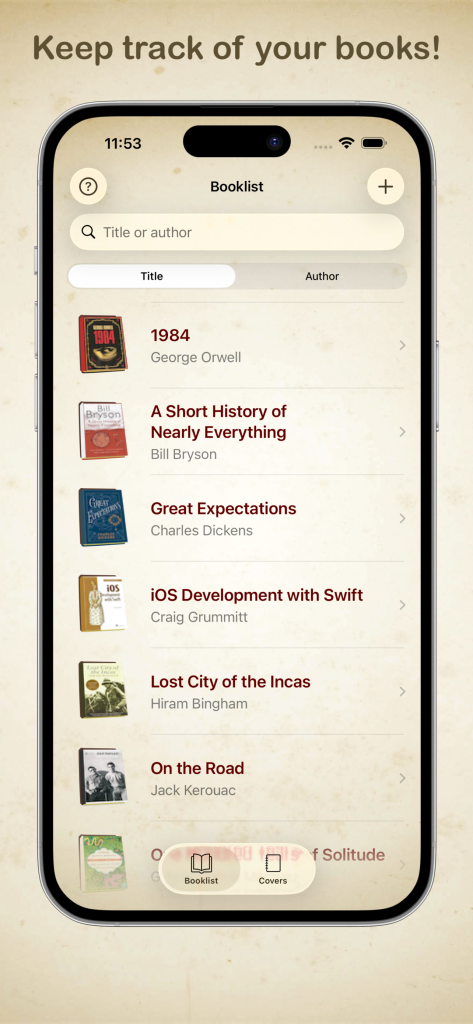
Your library as a list — search, sort, and find a title in seconds.
Your shelf, in your pocket
Bookcase 3.0 is the same idea, rebuilt for today’s iOS. The look is calmer: parchment backgrounds, a clearer booklist, and a layout that feels at home on iPhone and iPad.
Search by title or author. Sort the list either way. Open a book and jot where it is — living room bookcase, third shelf — and how many stars you’d give it.
It’s a personal inventory, not a social network. No account. Nothing uploaded. Just the books you own, on your device.
Judge a book by its cover
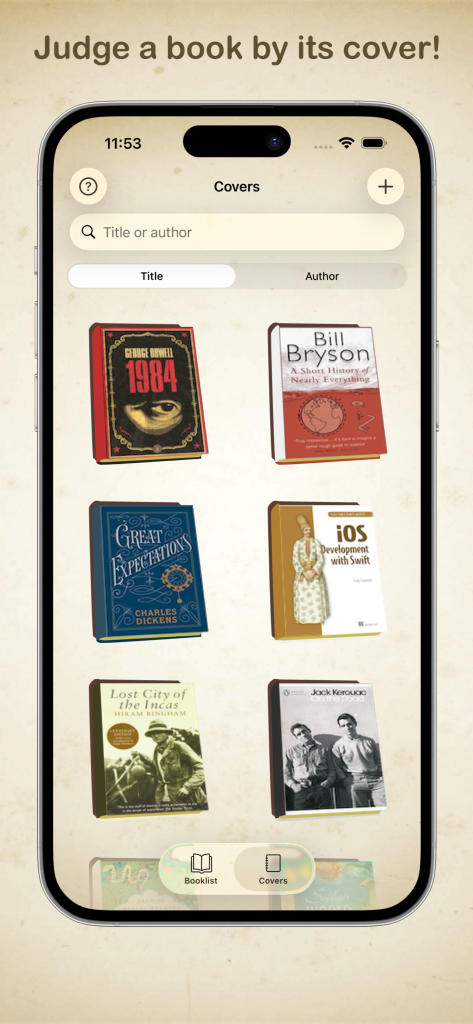
Open Covers and your library looks like a shelf.
The 3D covers are still the heart of the app. Each book looks like a book — spine, pages, and all. Bookcase picks up the colours from the cover art and styles the volume to match, so the one on your screen feels like the one in your hand.
Flick to Covers when you want to browse the way you browse a real shelf. Flick back to Booklist when you want the facts.
Scan the barcode. Or type it in.
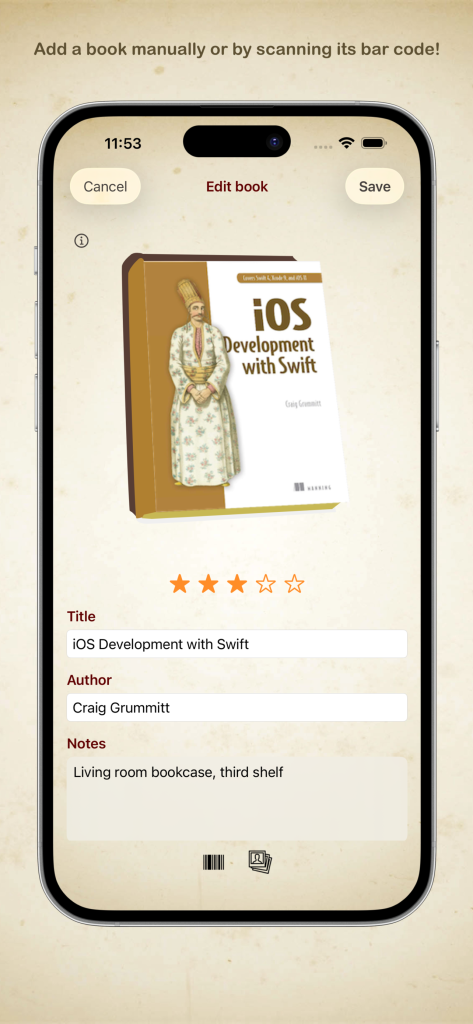
Add a book by hand, or point the camera at the barcode.
The fastest way to add a book is still the built-in ISBN scanner. Point the camera at the barcode on the back. If more than one match comes back, pick the right one. Title, author, ISBN, and cover art download automatically.
Version 3.0 sorts out issues that used to get in the way of scanning, so that path is more reliable than it was.
No barcode handy? Add the title and author yourself, take a photo of the cover, or choose one from your library. If there’s a digital edition, Bookcase can keep a link to it as well.
If you already have Bookcase
Your library comes with you. Titles, covers, notes, ratings — still there, just in a clearer app.
Update, open it, and your shelf should be waiting.
Get version 3.0
Update if you already have it, or download it for the first time:
More about the app: Bookcase
We’d love to know how version 3.0 feels on your shelf. If something’s off, or something’s better, get in touch.